


Bridge Scorepad
Yannis S. Arvanitis
Installs
15 ratings
Category
Content Rating
4+
Developer
Yannis S. Arvanitis
Version
1.2308
Updated
Jul 19, 2023
Requires
iOS 13.0 or later
Price
$1.99
Size (iOS)
7.2 MB
Advertisement
Screenshots
Advertisement
Editor Reviews
Bridge Scorepad is a card game developed by Yannis S. Arvanitis for iPhone & iPad. It holds an average rating of 4.9 out of 5 from 15 players.
Bridge Scorepad is a paid game ($1.99). The latest version 1.2308 was released on Jul 19, 2023. Content rating: 4+.
Advertisement
About Bridge Scorepad
Take the busy-work out of scoring Rubber Bridge, Chicago (4-deal) and/or Duplicate Bridge - let your iPhone/iPad do it for you with this flexible scorepad. Whether you are a veteran bridge player or someone who's just getting into the game, the Bridge Scorepad can help you better enjoy the game and enhance your understanding of the nuances of scoring.
- Support for traditional Rubber Bridge scoring (i.e. We/They), Chicago Style (4-deal) AND Duplicate Bridge.
- Rubber Bridge scorepad features:
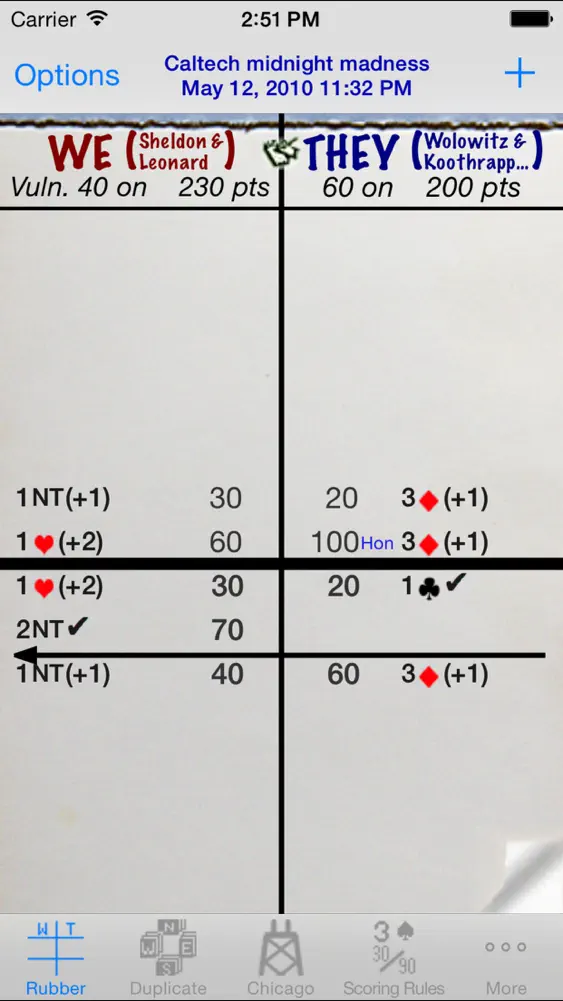
+ The familiar look of a traditional scoresheet with a graphical notation of the contract and results.
+ See at a glance which teams are vulnerable, which teams have game legs on and their respective total scores.
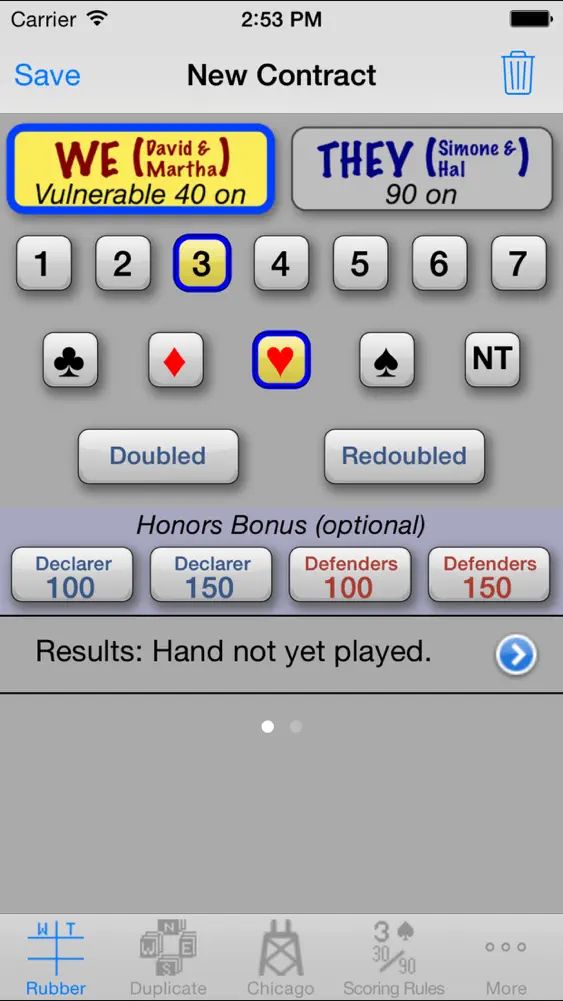
+ Tap on an entry in the scoresheet to view a detailed explanation of the scoring. (You can edit the details of a previously played contract if you need to.)
+ Play multiple rubbers in one scoresheet, or create a new scoresheet for each rubber.
- Chicago Bridge scorepad features:
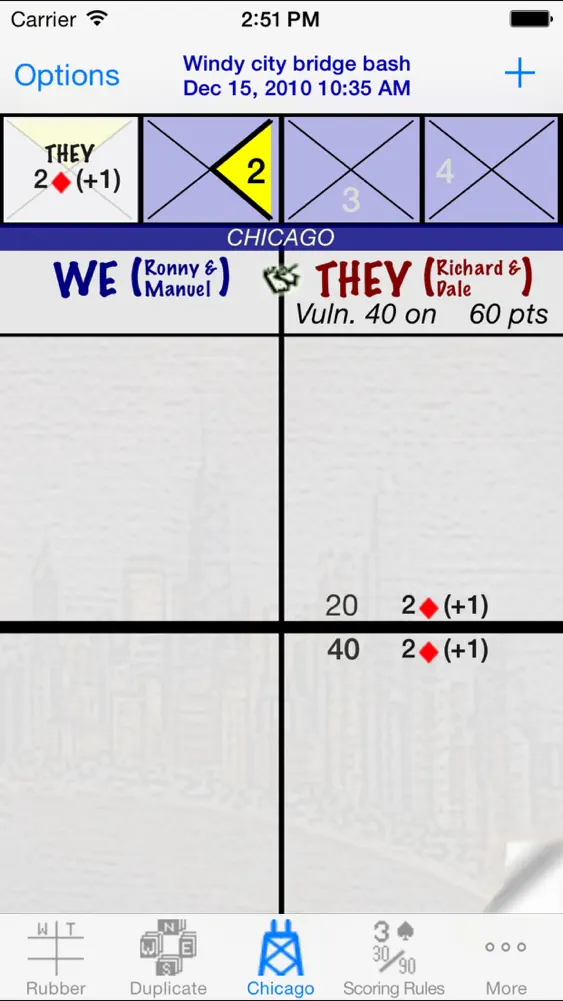
+ Graphical 'Chukker' to keep track of the deal.
+ Support for both Chicago and Cavendish vulnerability systems.
+ Support for traditional Chicago scoring and Duplicate style scoring.
+ The familiar look of a traditional scoresheet with a graphical notation of the contract and results.
+ See at a glance which teams are vulnerable, which teams have game legs on (Chicago scoring) and their respective total scores.
+ Tap on an entry in the scoresheet to view a detailed explanation of the scoring. (You can edit the details of a previously played contract if you need to.)
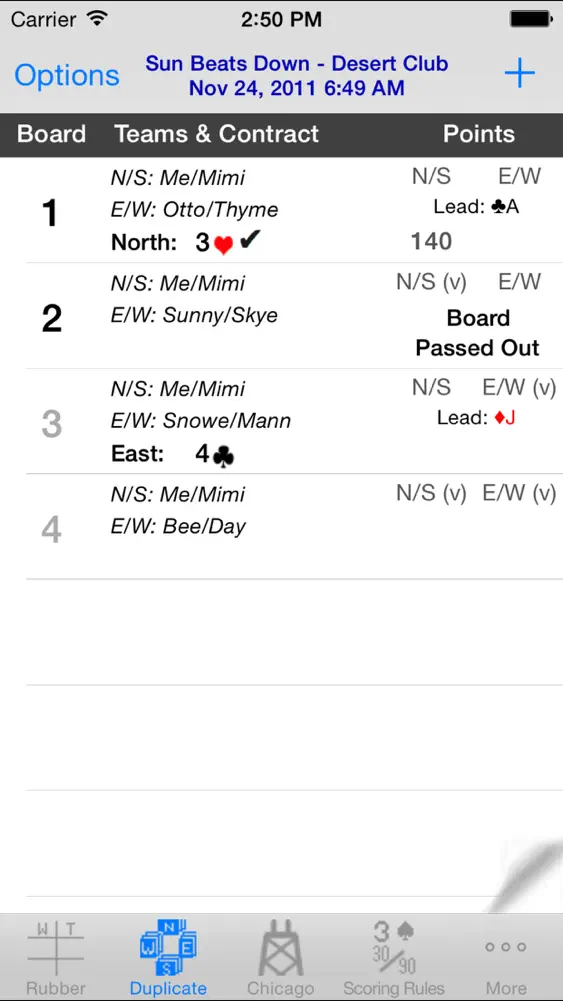
- Duplicate Bridge scorepad features:
+ Enter your Boards one at a time, in batches (e.g. by round) or all at once.
+ Personalize the scoresheet with a description and your player/team ID to highlight your team's scores in the scoresheet.
+ Quickly differentiate between complete and incomplete boards.
+ Tap on a completed board in the scoresheet to view a detailed explanation of the scoring (and edit the board if necessary).
- Personalize and share your scoresheets:
+ Personalize scoresheets with player names and a scoresheet description.
+ Email a PDF copy or print(*) scoresheets directly from your device.
+ When scoring Rubber or Chicago on an iPad, there is a "Large font" user preference to help others at the table better see the scoresheet too.
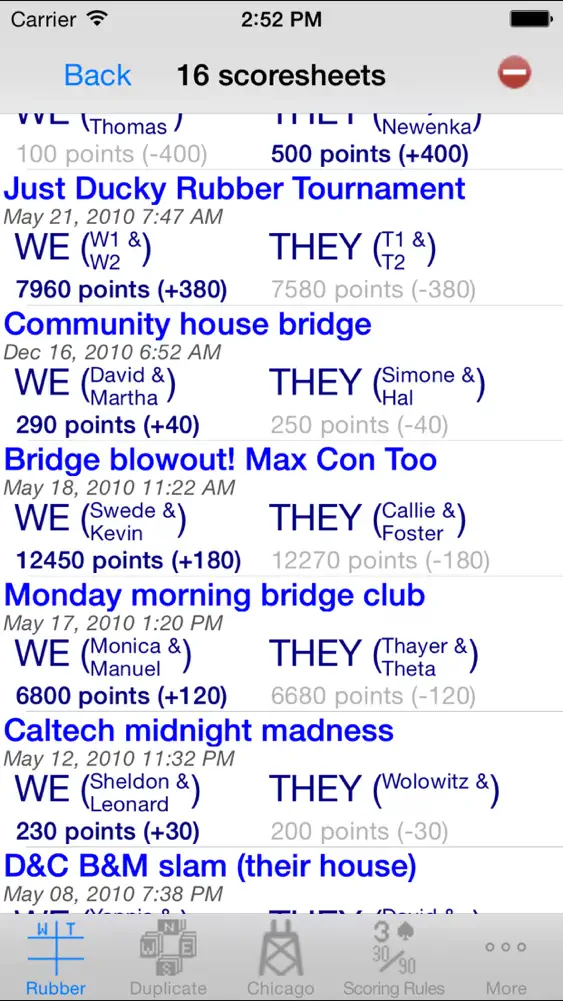
- Sum scores across scoresheets to track players over a period of time (currently for Rubber Bridge and Chicago Bridge only). The report includes a grand total by player as well as subtotals by the dates of the scoresheets (i.e. subtotals for all the scoresheets played on a single date). The report can be emailed or printed (*) directly from your device.
- Includes a reference copy of the standard rules for scoring contract bridge (based on the 2004 International Laws of Contract Bridge).
- Standalone scoring calculator (on the 'backside' of the scoring rules). Use it to score a hand or simply to better understand the nuances of contract bridge scoring.
(*) Printing directly from the device requires an available AirPrint compatible printer. eMailing requires that your device has been configured to send emails.
What's New
Fixed bug that prevented SumThing from automatically updating when going back and forth with scoresheets.
How to download Bridge Scorepad?
- Tap the Google Play button (Android) or the App Store button (iPhone / iPad) in the download section.
- The official store page of Bridge Scorepad opens in a new tab.
- Tap Install or Get and wait until the download finishes.
- Open Bridge Scorepad from your home screen and start playing.
FAQ
Is Bridge Scorepad free to play?
No, Bridge Scorepad is a paid game. Current price: $1.99.
Is Bridge Scorepad available for iPhone?
Yes, Bridge Scorepad is available on the Apple App Store and needs iOS 13.0 or later.
Is it safe to download Bridge Scorepad?
Yes. ER Games does not host any files — the download buttons open the official Google Play and App Store pages.
Download the App
Similar Games
UNO!™
Pokémon TCG Pocket
Solitaire - Classic Card Games
Solitaire Grand Harvest
Solitaire - Classic Card Games
Solitaire.com - Classic Cards
WSOP Poker: Texas Holdem Game
Solitaire - Classic Card Games
 Solitaire Cash: Win Real Money
Spider Solitaire: Card Games
Solitaire
Disney Solitaire
Zynga Poker- Texas Holdem Game
Phase 10: Casual Card Game
Solitaire - Classic Card Game
Advertisement
Disclaimer
1. ER Games does not represent any developer, nor is it the developer of any app or game listed on this website.
2. Game details such as icons, screenshots, ratings and descriptions are collected from the public Google Play and App Store listings so players can compare games before installing.
3. All trademarks, registered trademarks, product names, company names and logos are the property of their respective owners.
4. ER Games does not host APK or IPA files. Every download button opens the official Google Play Store or Apple App Store page of the game.
5. ER Games respects the Digital Millennium Copyright Act (DMCA). If you are the owner of any content shown here and want it removed, please contact us at contact@earningreview.com.